
 A Oneindia Venture
Get Updates
Get notified about market trends, financial advice, and investment tips!


 Click it and Unblock the Notifications
Sensex
77,569.39
▲ +1.08%
Nifty
24,206.90
▲ +1.02%
22k Gold
₹ 13,230/gm
Silver
₹ 2,35,000/kg
Petrol
₹ 111.21
Diesel
₹ 97.83
LPG
₹ 941.50
Crude Oil
$ 75.86
USD
₹ 95.37
Sensex
77,569.39
▲ +1.08%
Nifty
24,206.90
▲ +1.02%
22k Gold
₹ 13,230/gm
Silver
₹ 2,35,000/kg
Petrol
₹ 111.21
Diesel
₹ 97.83
LPG
₹ 941.50
Crude Oil
$ 75.86
USD
₹ 95.37
Shivalik Rasayan Ltd. कंपनी का इतिहास और वार्षिक वृद्धि विवरण
Shivalik Rasayan Ltd. (SRL), established in 1981, is a manufacturer of organophosphorous based insecticides and chemicals. The revenues of the company are increasing at a rate of 10 percent annually and it enjoys wonderful credibility among its banker. At present company is debt free company managing its affair from internal accrual. SRL today produces international quality Malathion Technical and Dimethoate Technical. The products of SRL are well established in Indian as well as foreign markets. For the last few years, it has been exporting 50 percent of its production to various countries around the world. The company has a long established reputation as a reliable and accepted supplier of quality products around the globe that endorses our commitment towards quality. One of the pillars of strength for SRL over the years has been its extremely talented and dedicated workforce. Currently, SRL has employee strength of 125, 50 percent of those having more than 10 years of experience in the industry. 2018 -The Company has issued Bonus Shares in the Ratio of 1:4. 2022 -SRL has successfully submitted its first US Drug Master File (DMF) for BORTEZOMIB through ESG gateway to USFDA. 2024 -Commercial Production of newly build Agro-Chemical plant. |
Disclaimer: This is 3rd Party content/feed, viewers are requested to use their discretion and conduct proper diligence before investing, GoodReturns does not take any liability on the genuineness and correctness of the information in this article
Shivalik Rasayan Ltd. पर और जानकारी
-
Shivalik Rasayan Ltd. टूल
- बल्क डील
-
Shivalik Rasayan Ltd. कंपनी का विवरण
- कंपनी का प्रोफाइल
- कंपनी का इतिहास
- मैनेजमेंट टीम
- पूंजी ढांचा
- प्रॉडक्ट मिक्स
- बैंकर/ऑडीटर/रजिस्ट्रार
-
कंपनी का इतिहास
- बोनस
- बीएसई मूल्य इतिहास
- एनएसई मूल्य इतिहास
-
Shivalik Rasayan Ltd. मुख्य वित्तीय अनुपात
- अनुपात
-
Shivalik Rasayan Ltd. परिणाम
- तिमाही परिणाम
- छहमाही परिणाम
- नौ महीने के परिणम
- वार्षिक परिणाम
-
Shivalik Rasayan Ltd. Financial Data
- ऑडिट के परिणाम
- नकदी प्रवाह
- बैलेंस शीट
-
Shivalik Rasayan Ltd. की रिपोर्ट
- लेखा नीति
- ऑडीटर की रिपोर्ट
- निदेशक की रिपोर्ट
- खाते के लिये नोट
-
Shivalik Rasayan Ltd. कॉर्पोरेट घोषणाएं
- बुक क्लोज़र
- लाभांश
- बोर्ड की मीटिंग
-
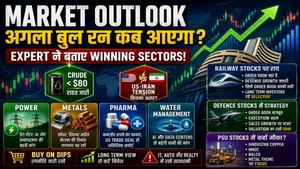 Share Market की तेज़ी बुरा फंसाएगी, बाज़ार में इन Stocks से बना लो दूरी!
 -
 Share Market में जोरदार तेजी, निफ्टी 24,200 के पार; सबसे अधिक किस शेयर में तेजी?
 -
 Trump Warning से Iran-US तनाव बढ़ा, Crude Oil में हलचल: Share Market Panic में क्या करें?
 -
 Share Market: कल की भारी गिरावट के बाद बाजार में लौटी तेजी, Sensex और Nifty में बढ़त के साथ कारोबार; आगे क्या
 -
 South Korea Market Crash: टेक शेयरों की बिकवाली से मचा हड़कंप! Bear Market में क्यों पहुंचा KOSPI?
 -
 Stock Market: शेयर बाजार में आज क्यों आई गिरावट? अमेरिका-ईरान तनाव के अलावा क्या है गिरावट की सबसे बड़ी वजहें
 -
 Sensex Outlook: सेंसेक्स 1 लाख तक पहुंचेगा या 66,000 तक गिरेगा? मॉर्गन स्टेनली ने बताए तीन बड़े अनुमान
 -
 Kalyan Jewellers Share Crash: अच्छे बिजनेस अपडेट के बावजूद 8% क्यों टूटा शेयर? जानिए पूरी वजह
 -
 Stock Market: अचानक क्यों टूटा बाज़ार? Sensex 350 प्वाइंट तो Nifty 24,450 के नीचे! जानिए 4 बड़ी वजहें
 -
 Stock Market Today: सप्ताह के पहले दिन शेयर बाजार में तेजी! आज शेयर बाजार में किसका रहा जलवा?
 -
 Stock Market में आएगा बड़ा ब्रेकआउट? 2026 के 5 सबसे दमदार सेक्टर्स!
 -
 HCL Tech Share Price: AI Deal के दम पर शेयर में 7% की तेजी, क्या आगे भी बढ़ेगा?
 -
 Share Market Today: सेंसेक्स 650 अंक उछला, निवेशकों की दौलत ₹2.43 लाख करोड़ बढ़ी, जानें तेजी की वजह
 -
 Nifty IT में 4% की तूफानी रैली! Infosys, TCS, Wipro में खरीदारी का मौका?
 -
 Vedanta Demerger के बाद धमाका: Oil & Gas में 20% की तेजी, निवेशकों की हुई चांदी
 -
 Nifty Outlook: क्या खत्म होगी गिरावट? 10 साल का Data क्या कहता है, जानें आगे की चाल
Notifications
Settings
Clear Notifications
Notifications
Use the toggle to switch on notifications
-
Block for 8 hours
-
Block for 12 hours
-
Block for 24 hours
-
Don't block

Stay Informed.
Get news and videos anytime and anywhere.
 Sign in with Google
 By signing in, you agree to our Terms and Privacy Policy
Gender
Select your Gender
- Male
- Female
- Others
Age
Select your Age Range
- Under 18
- 18 to 25
- 26 to 35
- 36 to 45
- 45 to 55
- 55+